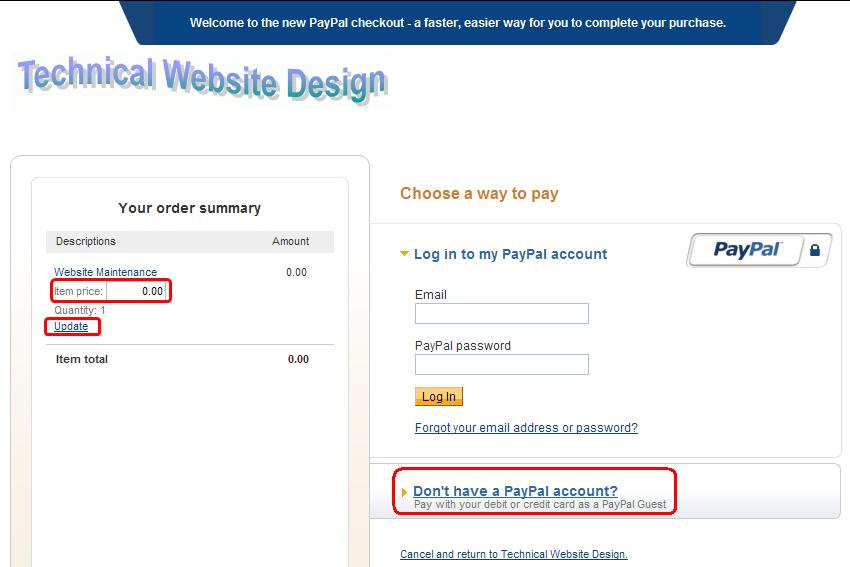
When you click the "Pay Now"
button below, the first screen you see should look like
the sample above. Enter the amount you want to pay in
the "Item Price" box, then click "Update".
If you have a PayPal account, log in on the right side
and pay that way. To pay by credit card, click "Don't
have a PayPal account" in the lower right, submit
your credit card information and continue with the payment.
If you have any questions, please contact
me.